What Is a Smart Home?
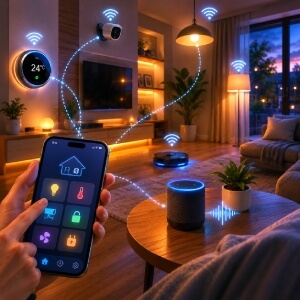
Imagine your house doing your daily routine back to you, without you really lifting a finger. The basic concept is that it all happens automatically, or at least it feels that way. A smart home is basically a bunch of internet connected, or sometimes wireless devices , that you can watch, manage, and schedule from one place, usually your phone or your voice.
At the core there are three main ideas. Connected appliances cover lights, heating controls, door locks, security cameras, and also smart plugs. Wireless controls give you a way to run everything through a phone app, a tablet, or a voice assistant like Amazon Alexa or Google Home. Automation routines go further, because they set reactions in motion on their own, for example the porch lights coming on at sunset, and the front door locking when it hits 10 p.m.
Taken together, these parts behave like one system. Your thermostat can lower itself when your phone detects you’ve headed to work. It is simple, useful, and honestly pretty easy to get going.
How Smart Home Devices Communicate
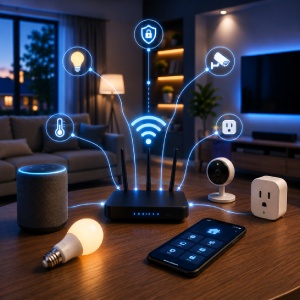
Getting devices to talk to each other is where most beginners feel lost. There are really just a few methods worth knowing.
Wi-Fi is the most common. Devices like smart thermostats and video doorbells connect directly to your home router, which means they can be controlled from anywhere — even when you're away.
Bluetooth works differently. It's short-range, usually within 30 feet, and is often used during initial setup or for devices like smart speakers that stay close by.
Some devices use neither. Instead, they connect through a hub, a small central device that manages communication between products on the same protocol. Philips Hue lights, for example, use their own hub.
Mobile apps are how you actually control everything day-to-day. Platforms like Amazon Alexa, Google Home, and Apple HomeKit act as the organizing layer, grouping your devices into one place and enabling voice assistant control. Think of them as the command center for your setup.
Why Smart Homes Appeal to Beginners
Three benefits consistently draw first-time buyers in: convenience, safety, and lower energy bills. The good news is you don't need a fully automated house to feel the difference.
Convenience shows up fast. Asking a voice assistant to dim the lights without leaving the couch sounds trivial until you're doing it every evening. Routines do the heavy lifting too. A single "good morning" command can turn on lights, adjust the thermostat, and start the coffee maker simultaneously.
Safety is where smart homes genuinely earn their keep. A video doorbell lets you see who's at the door from anywhere. Smart locks mean no more hiding spare keys. Motion sensors can send your phone an alert the moment something moves in an empty room.
Energy savings take a little longer to notice, but a smart thermostat like the Ecobee or Nest can cut heating and cooling costs meaningfully by learning your schedule. Lighting schedules and smart plugs eliminate the standby power drain from devices left running overnight. Choose devices you'll actually use daily, and the savings follow naturally.
How To Start Simple and Build Confidently
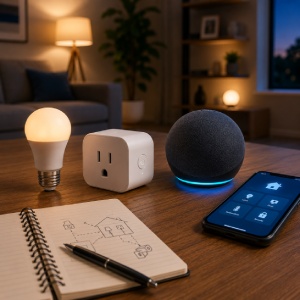
One or two devices is all you need to get going. A smart bulb, a smart plug, or a compact speaker like an Amazon Echo Dot gives you a real feel for how connected devices work without overwhelming your home or your budget.
Pick one ecosystem before you buy anything. Amazon Alexa, Google Home, and Apple HomeKit each have their own apps and voice assistants, and mixing them early on creates unnecessary headaches. Stick with one platform and expand within it.
Compatibility matters more than most beginners expect. Before purchasing any device, check that it works with your chosen app or voice assistant. A bulb that only supports HomeKit won't respond to Alexa commands, no matter how good the reviews are.
Think about where your setup might go in six months. Choosing a reputable ecosystem now means your first smart plug can sit alongside a smart thermostat or security camera you add later without starting over.
A Smart Home Can Start With One Device
Connected devices, simple controls, and a few well placed automations … that is basically all a smart home is, right. You do not really need a fully automated house to feel real value from the tech, not at all. One smart speaker, or even a single programmable thermostat, is enough to begin. The main thing is picking devices that communicate dependable, over Wi-Fi, Bluetooth, or through a dedicated hub, and making sure they function inside the same ecosystem, so they actually talk to one another. The upside, from energy savings to extra security, tends to grow as your setup grows. Keep it small, stay on one platform, and check compatibility before you purchase anything. A first device that is simple and well chosen will show you more about what you want than hours and hours of research, sometimes.